


Download 3DRad V‑Packer – Fast, Secure Game File Packing Tool
Overview
3DRad V‑Packer is a lightweight yet powerful utility aimed at indie and small‑team game developers who need a fast way to bundle their project assets into a single executable installer. Built with simplicity in mind, the tool lets you pick any collection of files—textures, scripts, binaries, or whole project folders—assign a custom launcher image, and generate a stand‑alone .exe that can be distributed to testers or players without exposing the original folder structure. The interface is uncluttered, offering just the essential options: source file selection, output name, optional password protection, and a preview of the startup menu graphic.
Because the output is a single executable, you eliminate the need for external archivers or complex installer scripts, which can be a major time‑saver during rapid development cycles. Additionally, the password feature adds a layer of security for early builds that contain unfinished or proprietary content, ensuring that only authorized users can extract and run the packaged files. Overall, 3DRad V‑Packer fills a niche that many larger packaging suites overlook: a no‑frills, secure, and instantly deployable solution that keeps the focus on gameplay rather than distribution logistics.
Key Features
- One‑Click Packing: Drag‑and‑drop files or folders and generate an executable with a single click.
- Custom Startup Image: Add a menu picture that appears when the user launches the packed file, giving a professional first impression.
- Password Protection: Secure your builds with an optional password, preventing unauthorized extraction.
- Compact Output: The resulting
.exeis self‑contained, removing the need for external archives or installers. - Lightweight Engine: Minimal system resources are required; the tool runs smoothly on modest hardware.
- Support for Multiple File Types: Works with any file format—images, audio, scripts, DLLs, and more.
- Automatic Versioning: Option to embed version information directly into the executable for easier tracking.
- Portable Installation: No complex setup; you can run the application from a USB stick on any compatible PC.
Installation, Usage & Compatibility
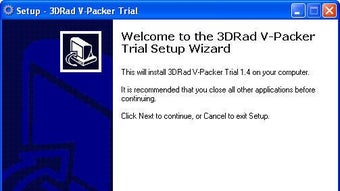
Getting started with 3DRad V‑Packer is intentionally straightforward. Download the installer from the official website, then run the .exe file. The installer guides you through a typical Windows setup wizard—accept the license agreement, choose an installation folder (the default is C:\Program Files\3DRadV‑Packer), and finish the process with a single “Install” click. Once installed, launch the program from the Start menu or desktop shortcut.
Upon opening the application, you’ll see a clean three‑panel layout: the left panel for selecting source files, the middle panel for configuring the output, and the right panel for previewing the startup image. To pack a project, click “Add Files” or “Add Folder,” navigate to your game assets, and confirm. Next, type a desired name for the executable in the “Output Name” field—this will be the file your users double‑click to run. If you want a custom splash screen, click “Browse” under the “Menu Image” section and choose a PNG or JPEG image (recommended size: 640 × 480 px). For added security, toggle the “Password” checkbox and enter a strong password; this encrypts the packed content and requires the password at runtime.
After configuring these options, simply press the “Pack” button. The software compresses the selected files, embeds the optional image and password, and writes the final .exe to the destination folder you specified. The entire process usually completes within seconds for typical indie projects.
Compatibility: 3DRad V‑Packer is built for Windows operating systems ranging from Windows 7 up to Windows 11 (both 32‑bit and 64‑bit). The portable version can also run on Windows Server environments, making it suitable for internal QA pipelines. While there is currently no native macOS, Linux, Android, or iOS version, the Windows executable can be executed under Wine on macOS/Linux if needed, though performance may vary.
Pros, Cons, FAQ & Conclusion
Pros
- Extremely easy to learn—ideal for developers with limited packaging experience.
- Fast, single‑click creation of a self‑contained executable.
- Optional password protection adds a layer of security for early builds.
- Low system footprint; runs smoothly on older hardware.
- Portable version enables use on multiple machines without re‑installation.
Cons
- Only available for Windows; no native macOS or Linux client.
- Lacks advanced installer features such as custom actions or registry editing.
- Compression algorithm is basic; large projects may benefit from dedicated archivers.
- No built‑in update mechanism; users must manually download newer versions.
Frequently Asked Questions
Can I pack files larger than 2 GB?
Yes. 3DRad V‑Packer supports files of virtually any size, limited only by the available disk space on the host machine. However, extremely large bundles may take longer to compress and could increase the final executable size.
Is the generated executable safe from tampering?
When you enable the optional password, the packed content is encrypted, making it difficult for casual users to modify the files without the correct password. For higher security, consider signing the executable with a code‑signing certificate.
Can I update an already packed game without repacking everything?
3DRad V‑Packer does not include an incremental update feature. To deliver patches, you’ll need to create a new executable containing the updated files and distribute it to your users.
Does the tool support command‑line automation?
The current version focuses on a graphical UI and does not provide a native command‑line interface. For automated build pipelines, you may need to invoke the GUI via scripting tools like AutoIt or PowerShell.
Is there a free version or trial?
Yes. 3DRad V‑Packer offers a fully functional free edition for personal and indie use. A paid “Pro” license is available for commercial studios that require priority support and future feature updates.
Conclusion & Call‑to‑Action
For indie developers who value speed, security, and a hassle‑free workflow, 3DRad V‑Packer delivers exactly what it promises: a simple way to turn a scattered collection of game assets into a clean, single executable ready for distribution. While it doesn’t replace heavyweight installer creators for large studios, its lightweight nature makes it an excellent addition to any small‑team toolkit. Download the free version today, try the password protection feature, and experience how quickly you can share playable builds with testers and early adopters.
Download 3DRad V‑Packer now and start packing your game files in minutes.







